The short answer
For most EV owners the Emporia Vue 3 is the right monitor: up to 16 branch sensors at 50 A plus two 200 A mains, and it is the only one here that feeds an EV charger's load management directly. Buy the Siemens Inhab for a Siemens panel, the Refoss EM16P for Home Assistant and no cloud account, and the Eyedro Home if your panel needs a wired Ethernet connection.
Quick picks
Ranked by fit for the stated use case first, then price, then warranty and support. Tap any row to jump to the full assessment. Commission rate plays no part in the order.
| # | Product | Best for | Score | Price |
|---|---|---|---|---|
| 1 | 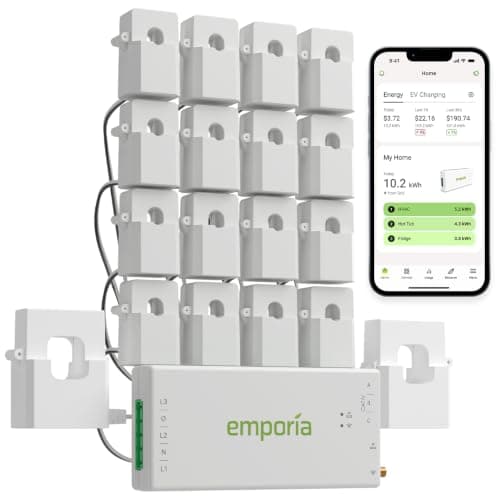 Emporia Vue 3 Home Energy MonitorThe cheapest way to replace a load calculation's assumptions with measurements. | Knowing what your panel is actually doing | 8.8 | |
| 2 | 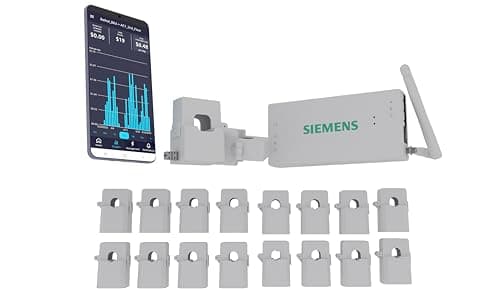 Siemens Inhab Smart Home Energy MonitorSixteen branch sensors and two main sensors from the company that very likely made your panel. | A Siemens load center, and the deepest circuit coverage | 8.4 | |
| 3 | 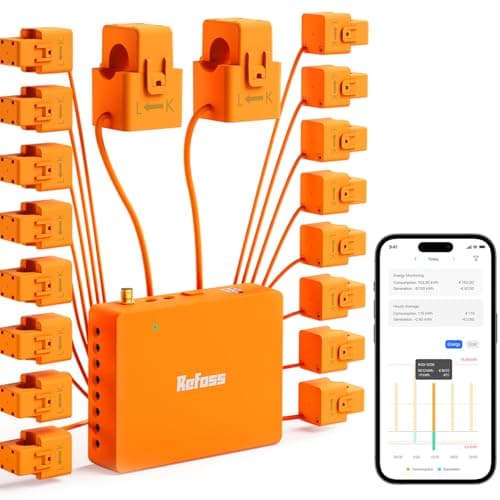 Refoss EM16P Smart Home Energy MonitorSixteen 60 A circuit sensors with an open API and local Home Assistant support, so the data stays in your house. | Home Assistant, and anyone who refuses a cloud account | 7.9 | $179.99View on Amazon $199.99 list · 10% off |
| 4 | 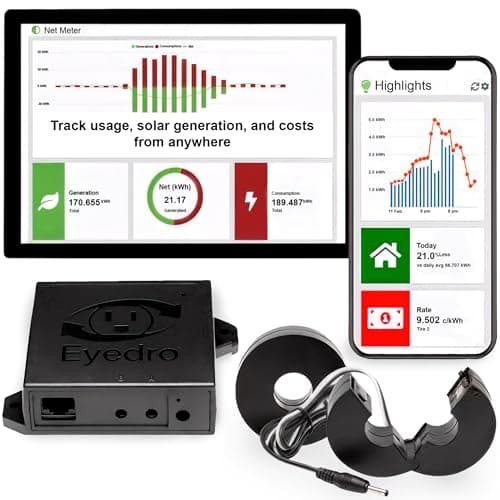 Eyedro Home Smart Energy MonitorA whole-home monitor rather than a per-circuit one: two 200 A sensors on the mains, and the only unit here that will take a wired Ethernet cable instead of begging for Wi-Fi in a steel panel in a basement. | Solar net metering, and panels with no Wi-Fi signal | 8.0 |
Why an EV owner buys one of these at all
Almost nobody shops for a home energy monitor because they want graphs. They shop for one because an electrician has looked at their panel, done the arithmetic, and said something along the lines of "it might fit". That sentence is expensive, because the two ways out of it are a load-managed charger or a service upgrade, and the second one costs several times the first.
A standard load calculation is a worst-case estimate built from nameplate ratings and code demand factors. It has to be — an electrician cannot know what your house actually draws. But the figure it produces is deliberately conservative, and plenty of panels that fail a calculation on paper have never come close to their rating in reality. A monitor replaces the estimate with a measurement: thirty days of real amps on your real service, including the January evening when the heat pump, the oven and the dryer all ran together.
That measurement does two separate jobs, and which one you care about changes which monitor you should buy:
- Evidence. Hand an electrician a month of recorded peak demand and the conversation about whether a 48 A charger fits stops being a debate about assumptions. For this job, any monitor that reads the mains accurately is enough.
- Control. A monitor wired into a charger's load management lets the charger throttle itself when the house gets busy, which is how a 48 A charger lands on a panel that could not otherwise carry one. For this job, only a monitor that talks to your specific charger will do — and today that is a very short list.
How we ranked them
This is a roundup for one specific buyer, so the criteria are narrower than a general energy-monitor review would use. In order of weight:
- Does it close the loop with a charger? A monitor that enables load management on a charger you can actually buy is doing something no amount of extra sensors can replace. This is the heaviest single criterion and it is why the ranking looks the way it does.
- Can it isolate the charger's own circuit? Whole-home-only monitors tell you the house peaked at 118 A. Branch sensors tell you that 48 of those amps were the car, which is the number you need when you are arguing about headroom.
- Main sensor rating. Two 200 A sensors covers essentially every US residential service. Anything less is a problem on a 200 A panel.
- Install reality. Every unit here means an electrician with their hands inside a live load center. Sixteen CTs is meaningfully longer than two, and that is labor you are paying for.
- Connectivity where panels actually live. Panels sit in garages, basements and utility closets — the three worst Wi-Fi locations in a house. A wired option is worth real points.
- Published documentation. We would rather recommend a unit whose maker publishes an accuracy figure than one whose only spec sheet is its retail listing.
What we did not rank on: app prettiness, smart-home badge count, or any claim about dollars saved. Those are not what gets a charger onto a panel.
1. Emporia Vue 3 — the one that actually controls a charger
Knowing what your panel is actually doing
Emporia Vue 3 Home Energy Monitor
The only monitor here that feeds an EV charger's load management
#ad Price as of October 30, 2026. How we make money
Emporia publishes the numbers, which is already more than two of the others manage. The Vue takes up to 16 branch sensors rated 50 A, one per breaker, plus two 200 A sensors on the service conductors. It samples at 24,000 samples per second with a stated ±2% accuracy, streams over 2.4 GHz Wi-Fi, is UL and CE listed, and carries a 1 year warranty. Panels where the busbar is the only accessible point need Emporia's flexible current sensors instead of the standard CTs.
None of that is why it is first. It is first because Emporia's PowerSmart load management reads the panel through this device, which means a Vue plus an Emporia charger is a complete system: the monitor measures, the charger throttles, and the 60 A breaker never trips. That combination is the cheapest legitimate route onto a panel that a load calculation says is full. Our Emporia Classic vs Pro comparison covers which Emporia charger to pair it with — PowerSmart is standard on the Pro and an add-on on the Classic.
Where it is weak. The one-year warranty is the shortest here by a wide margin, and that is a real mark against a device that lives in a panel. Sixteen CTs is a long session with an electrician. It is Wi-Fi only, with no wired fallback, which is a genuine problem in a basement panel. And the load-management advantage evaporates entirely if you are not buying an Emporia charger — against a Tesla Wall Connector or a Wallbox, this is just a well-specified monitor competing on sensors alone.
2. Siemens Inhab — the most sensors, from the company that made your panel
A Siemens load center, and the deepest circuit coverage
Siemens Inhab Smart Home Energy Monitor
Deepest circuit coverage, and a matching load manager exists
#ad Price as of October 30, 2026. How we make money
The Inhab monitor (model EMV3-A) ships with 16 circuit-level sensors at 50 A and two 200 A main sensors — the same coverage as a fully loaded Vue, in the box. Its product documentation lists support for single-phase two-wire, split-phase three-wire and three-phase four-wire Wye systems, which is more than a residential monitor strictly needs but tells you something about where it came from. Siemens describes it as continuously monitoring the home's power use, flagging abnormal consumption, and tracking EV charger and solar usage specifically.
The strategic argument for it is the rest of the family. Siemens sells the Inhab monitor alongside an Inhab load manager and an Inhab controllable breaker, pitched at adding large loads "without needing to upgrade your panel or utility service". If your load center is a Siemens — and in US housing stock, a lot of them are — this is the only monitor on this page that is a first step into a system rather than a terminal purchase.
Where it is weak. It costs more than the Emporia for a broadly equivalent sensor count, and the extra money buys ecosystem potential rather than present-day capability. Siemens does not publish a public accuracy figure the way Emporia does, which is an odd omission from a metering company. It will not do load management with an Emporia, a Wallbox or a ChargePoint charger — the loop only closes with Siemens equipment, and that equipment is a separate purchase. And sixteen CTs is sixteen CTs: the same long install as the Vue.
3. Refoss EM16P — local control, and 60 A branch sensors
Home Assistant, and anyone who refuses a cloud account
Refoss EM16P Smart Home Energy Monitor
Open API and Home Assistant, with no cloud account required
Two things put this third rather than fourth. The first is that its 16 circuit sensors are rated 60 A, not 50 — and the breaker feeding a 48 A charger is a 60 A breaker. A 50 A CT on a 60 A circuit is not dangerous, but it is working at the top of its range on exactly the circuit you bought the monitor to watch. The second is that it runs through an open API with Home Assistant support and no cloud account, which means the data is yours and the device keeps working if the manufacturer loses interest.
The listing also specifies solar metering and ETL certification. ETL and UL are both OSHA-recognized testing laboratories and an ETL mark carries the same standing with an inspector as a UL one — worth knowing if someone tells you otherwise.
Where it is weak. The only published spec sheet for this unit is its retail listing, which is the weakest documentation on this page and the reason it is not higher. It does no load management with any EV charger. Refoss is a far smaller company than Siemens or Emporia, and a warranty is worth exactly as much as the company standing behind it. And the headline feature is Home Assistant, which is a hobby project in its own right — if you do not already run it, most of the reason to pick this one disappears.
4. Eyedro Home — the one that takes an Ethernet cable
Solar net metering, and panels with no Wi-Fi signal
Eyedro Home Smart Energy Monitor
Wired Ethernet, directional sensors and true net metering
#ad Price as of October 30, 2026. How we make money
The Eyedro is a different shape of product and it is here for one specific situation. It is a whole-home monitor with two 200 A directional current sensors and no branch sensors in the kit — but it will connect over wired Ethernet as well as 2.4 GHz Wi-Fi. If your panel is in a basement corner where a phone shows one bar, that is not a minor convenience, it is the difference between a monitor that reports and one that does not. It measures watt-hours, real power, current, voltage and power factor, and because the sensors are directional it reads export as well as import, which gives a solar house a genuine net figure through the MyEyedro net-meter view.
If your question is purely "what does my whole service actually peak at", this answers it with the simplest install on the page: two CTs on the service conductors and nothing else. That is perhaps an hour of electrician time against an afternoon for a sixteen-sensor unit.
Where it is weak. Two channels means it will tell you the house hit 112 A and nothing about which breaker did it — and for an EV owner who wants to separate the charger from everything else, that is the central limitation, not a footnote. No load management with any charger. Eyedro does not publish a measurement-accuracy figure on its home product page. And it is the most expensive way to buy two channels if you ever decide you wanted circuit detail after all.
What to put a sensor on, once it is in
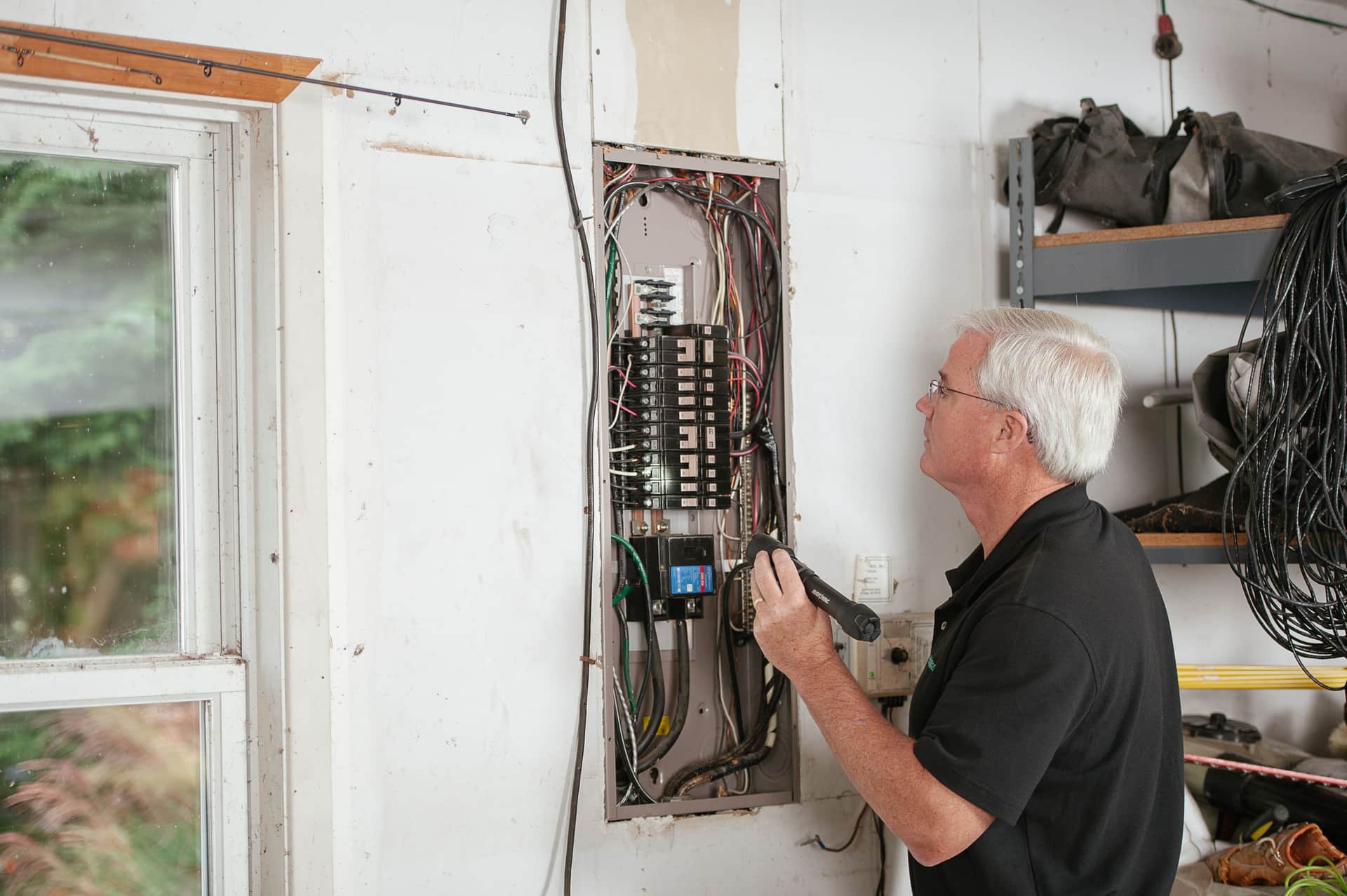
The install is the easy part to get wrong, so: the two main sensors go on the service entrance conductors, before anything branches. Those give you total draw, which is the number a load calculation argues about. Branch sensors then go on the circuits that actually move the peak.
| Circuit | Why it matters | Priority |
|---|---|---|
| EV charger | The load you are trying to justify; also confirms the charger is honoring its setting | First |
| Electric range or cooktop | Large, evening-timed, and overlaps charging hours | High |
| Electric dryer | 30 A intermittent, usually at the worst moment | High |
| Heat pump or electric furnace | The single biggest driver of winter peak in an all-electric house | High |
| Electric water heater | Large but often off-peak; a sensor tells you which | Medium |
| Air conditioning | Sets the summer peak in most of the US | Medium |
| Lighting and receptacle circuits | Small and steady; the mains already capture them | Low |
Leave it running for a full billing cycle before you draw a conclusion, and make sure the cycle includes whichever season is your worst — a monitor installed in April that reports a comfortable 90 A peak has told you nothing about January.
What the measurement is for
Once you have thirty days of data, the number you want is the recorded peak demand, and it feeds directly into the decision you were stuck on. If the peak sits far enough below your service rating that a 48 A charger fits underneath it, you have an argument for a standard install — see can my electrical panel handle an EV charger for how that arithmetic is normally run, and EV charger load calculation for the code method it is being compared against.
48 A x 1.25 = 60 A
60 A of continuous-rated capacity, on a 60 A two-pole breaker
NEC 625.42 classifies EV charging as a continuous load; NEC 625.41 requires overcurrent protection at not less than 125% of it. Conductors sized from the breaker per NEC Table 310.16.
If the peak does not leave room, the monitor has still earned its money, because you now know that before paying for a service upgrade you should price load management instead. And if you are on a 100 A service, EV charger on a 100 A panel is the page to read next — measurement plus throttling is the configuration that usually works there.
Who should skip this entirely
We would rather talk you out of a purchase than sell you one you do not need. Skip the monitor if your electrician has already said the panel has clear headroom — you are buying graphs. Skip it if you are installing a 32 A or 40 A charger on a 200 A service with gas heat and a gas range, because that fits almost everywhere. Skip it if you rent: see EV charging for renters instead, since you will not be touching the load center.
Buy one if the answer you got was "maybe", if you are choosing between load management and a service upgrade, or if you are on a 100 A service and want to know what is really going on before anyone quotes you anything.
How we picked
We picked from monitors that are currently purchasable in the US and checked each one's stock and listing on the date at the top of this page. Specifications come from the manufacturer's own published documentation where there is one, and from the retail listing — labeled as such — where the listing is the only published spec sheet. We verify specifications; we do not bench-test hardware, and our methodology says so. Commission rate plays no part in the ranking, which is why the cheapest unit here is not last.